 iPhone, iPad & Apple Watch
Turi turns your meditation practice into timed steps your Apple Watch taps.
Turi: Silent Meditation is a free app for iPhone, iPad and Apple Watch. Build your own practice or bring the one you were taught, and follow it with your eyes closed.
Bring your practice. Close your eyes. Turi keeps the rest.
- First practice free
- 7 days free on Plus
- Cancel anytime in Apple Account settings
- No account
- Stays on your iPhone and Watch
Turi at a glance
- Made for
- iPhone, iPad and Apple Watch. The Watch is optional: without one, your iPhone marks each step with a soft bell.
- Needs
- iOS or iPadOS 26 or later.
- Price
- Free to download. Your first practice is free. Plus starts with 7 days free if you haven't had a free trial before. Prices show in your own currency in the App Store.
- Account
- None.
- Version
- 1.1.4, released 14 November 2026. First on the App Store 15 October 2026.
- Language
- English.
- Maker
- Zephy Studio, Singapore.
, for Turi 1.1.4.
Turi in a minute
Eyes closed. Then you peek.
Shown with invented sample data. Narration is a synthetic voice.

Stay in it
Ever opened your eyes just to see what comes next?
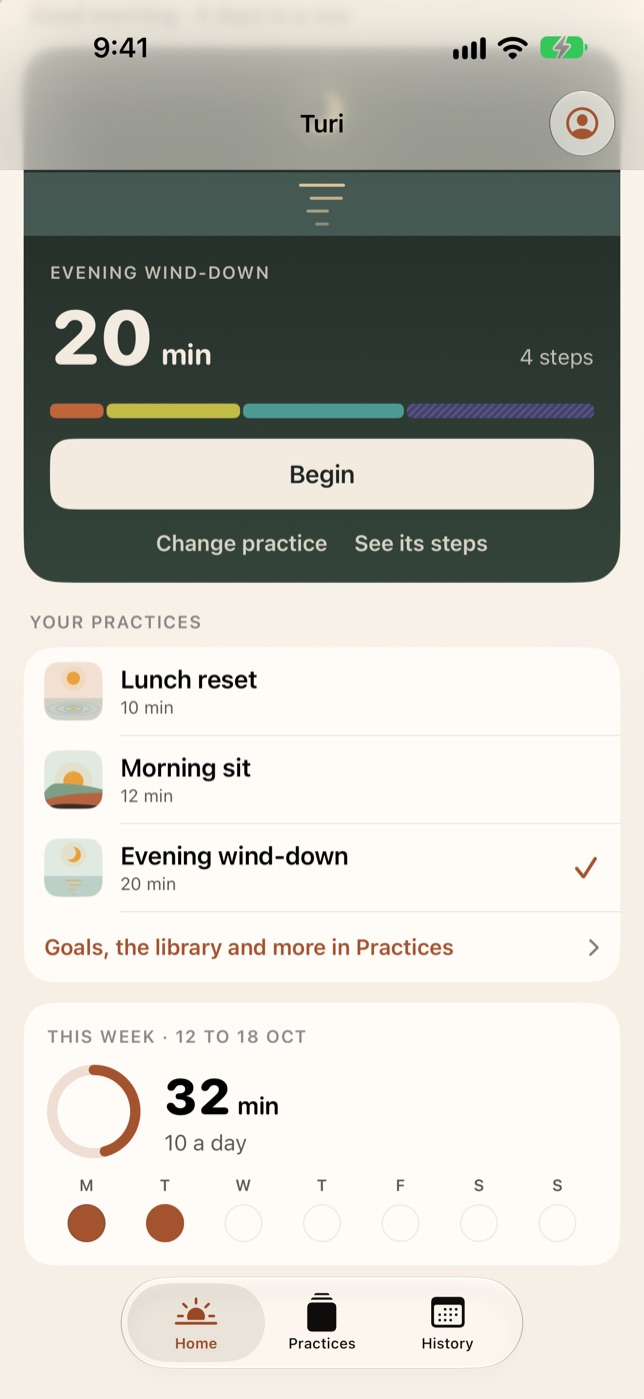
Turi turns the meditation practice you were taught, or one you build, into a quiet routine you can follow with your eyes closed.
For anyone who wants quiet, new to it or years in. There's nothing to listen to and nothing to scroll. Turi holds the time and the steps, so the practice can have your attention.
Build your own
Your practice, step by step.
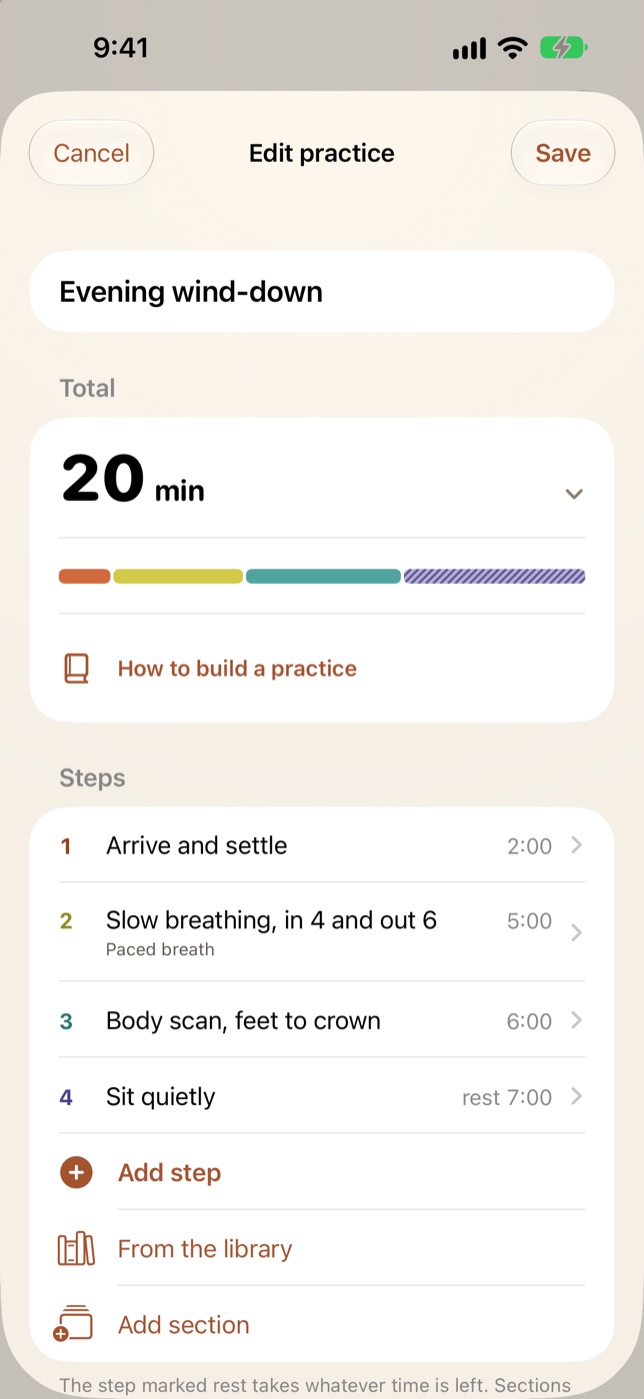
Set a total time, then add your steps in order, each with its own time. Group steps into sections that repeat, mark some as optional, and let flexible steps take the time that's left.
Shape it for today by unticking what you'll leave out. The rest stays in the practice for next time.
Meditation with intervals: how to set up timed steps on iPhone and Apple Watch
Bring the one you were taught
Give Turi the pages. Get back the practice.
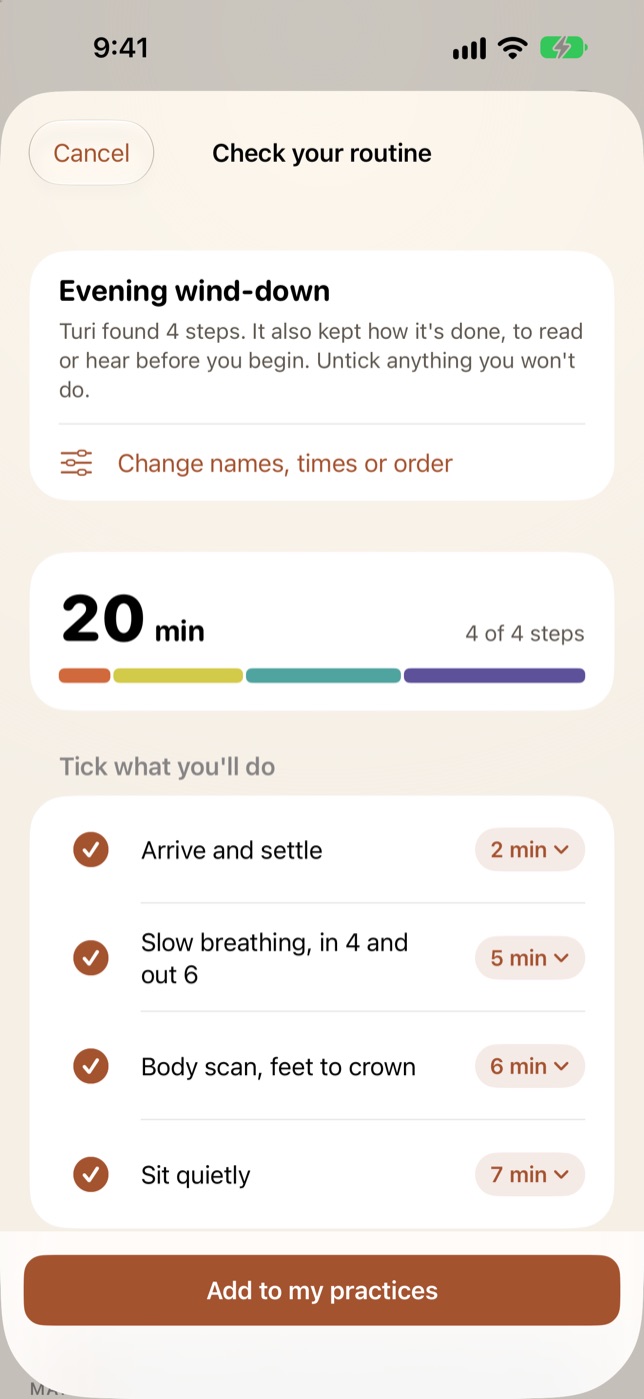
Have a routine from a teacher, a course, a retreat or a book? Scan the pages, choose a PDF or photos, paste your notes, or share a link. Turi reads it on your iPhone, sets the instructions aside as preparation, and turns the practice itself into steps with their times.
You check every step before you save.
What you bring never leaves your iPhone.
How to turn a meditation routine from a book, PDF or video into timed steps
Stay in it, eyes closed
A tap on your wrist. A quiet iPhone.
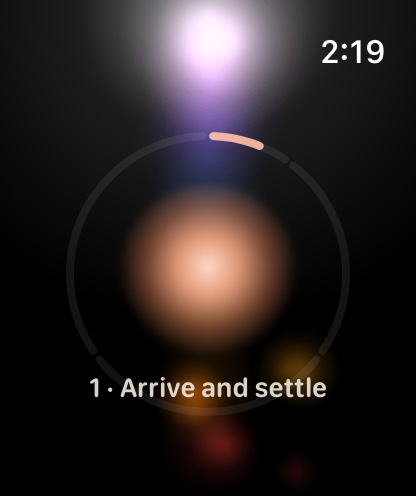
A gentle tap on your wrist marks each new step. While your Watch guides, your iPhone rings no bells unless you want one. Choose from several bells and bowls, each made to ring and fade naturally.
Double tap or press and hold to skip a step or a section, and turn the crown back to undo. Starting on your iPhone starts your Watch, and if the Watch goes quiet, your iPhone carries on.
Apple Watch meditation with the iPhone kept silent
Apple Watch meditation workout: why a long sit runs as a Mind and Body workout
Start simply
New to it? Begin with a few minutes.
Setup helps you sit comfortably, on a chair or on the floor, and suggests a gentle first practice. There are routines for calm, focus and sleep, from beginner to advanced, and from a few minutes to as long as you like. Each practice gets its own picture, drawn from what it is.
- First steps
- Breath
- Calm
- Focus
- Mornings
- Sleep
See how it went
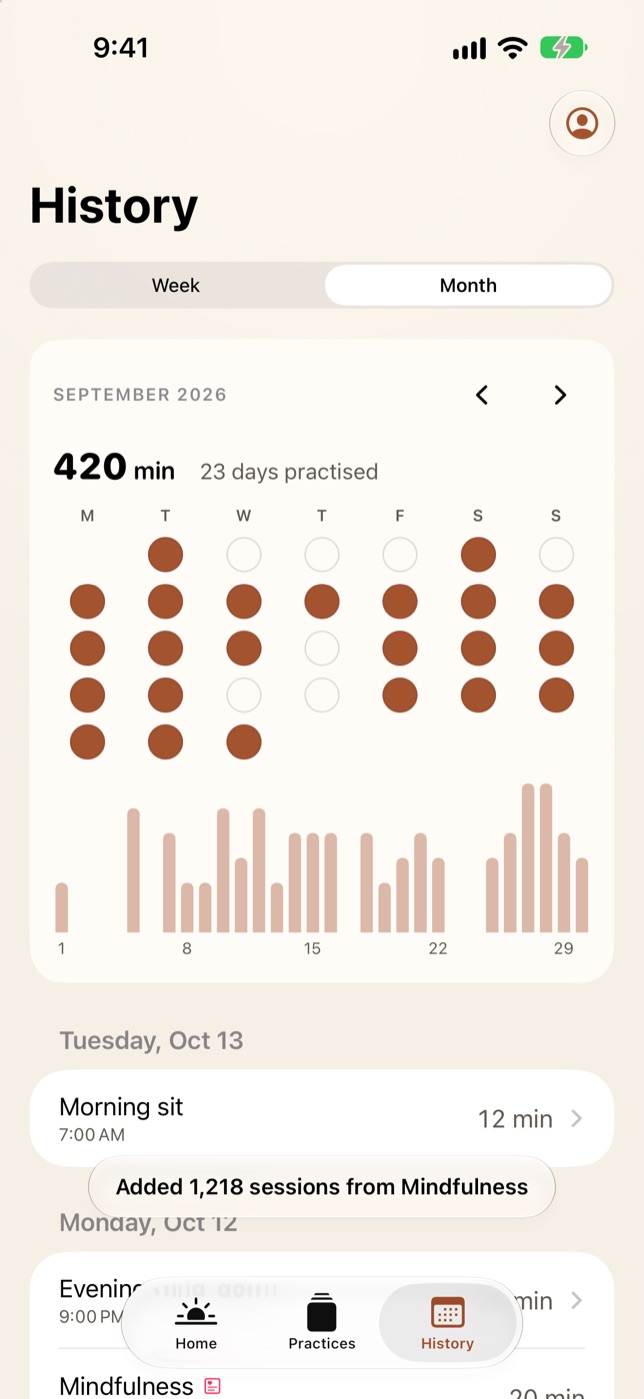
Your history comes with you.
- Every session goes to Apple Health as mindful minutes.
- With Plus, Turi reads the mindful minutes already in Health, from any app, so the years you've practised are there from the first day.
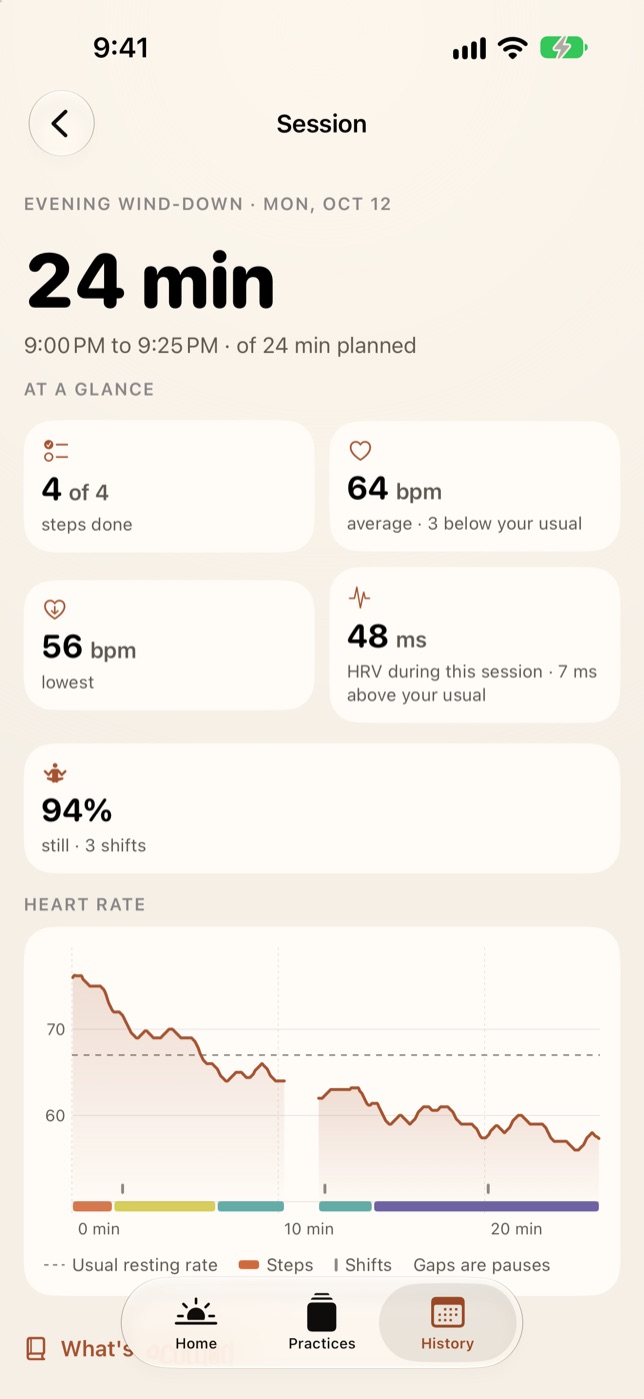
- After each session you see your time, which steps you finished, shortened or skipped, and your average heart rate when your Watch guided.
- With Plus, also your lowest heart rate, heart rate part by part, the heart rate variability your Watch recorded, and how still you sat.
Right where you reach for it
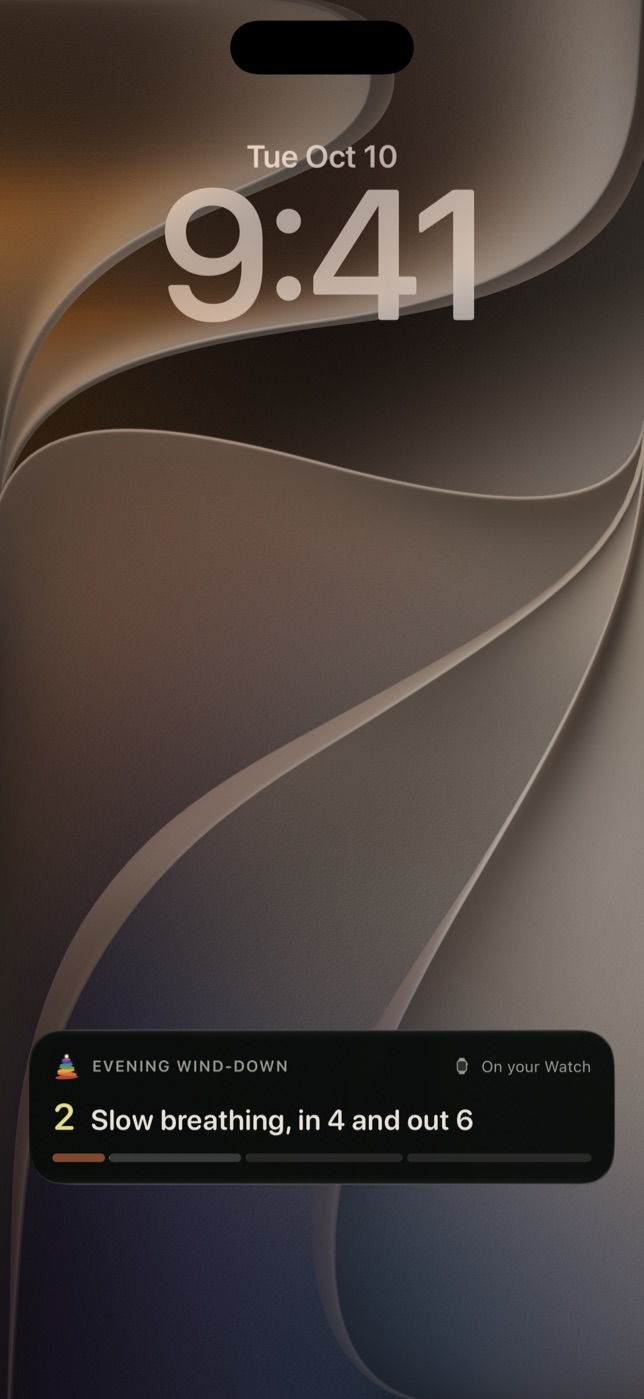
Begin without opening the app.
- Ask Siri to begin a practice by its name.
- Begin from a Home Screen widget, Control Center or the Lock Screen.
- Follow your step in a Live Activity on the Lock Screen, in the Dynamic Island and in StandBy.
- On Apple Watch, today's practice waits in the Smart Stack, and on Apple Watch Ultra the Action button begins it.
Made for every screen
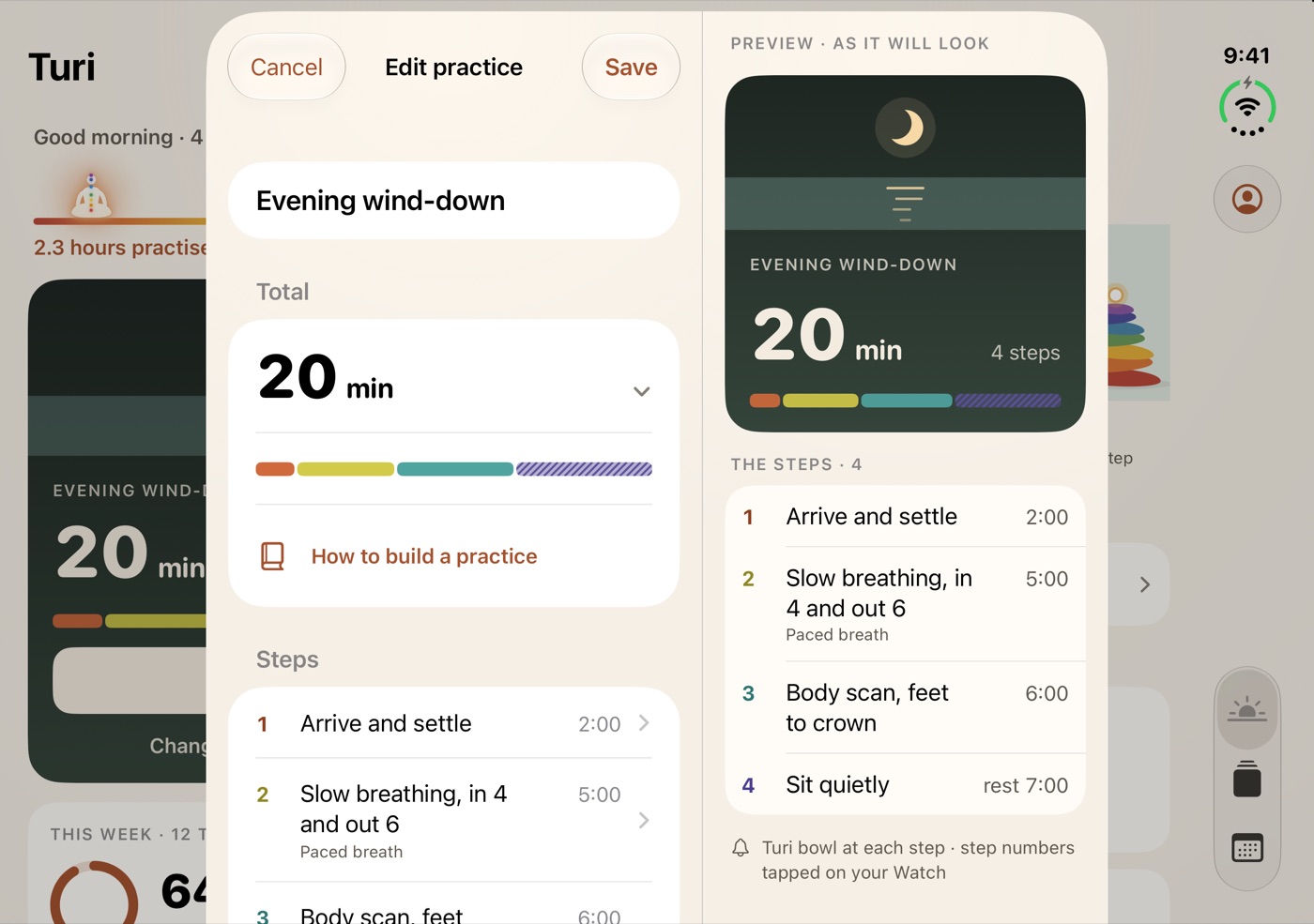
Room to build on iPad and iPhone Duo.
On iPad and on iPhone Duo opened up, Turi uses the space: build a practice beside a live preview of it, and check an import beside the page it came from.
The whole tour, in under three minutes
Walk through Turi
Shown with invented sample data. Narration is a synthetic voice.
Private by design
Nothing is sent to us.
There's no account to make, and no ads or tracking. Your practices, sessions and profile stay on your iPhone and Watch, and your Health data never leaves your devices.
Read the privacy policyBefore you download
Questions about Turi
Is Turi free?
Turi is free to download, and your first practice is free with no card. Plus starts with 7 days free if you haven't had a free trial before. Prices show in your own currency in the App Store.
What happens after the free week, and how do I cancel?
When the 7 free days end, the plan you chose starts, unless you cancel first. Turi sends one reminder two days before the free week ends. To cancel, open your Apple Account settings and choose Subscriptions. Nothing you make in Turi is deleted if you stop.
Do I need an account?
No. Turi has no account and no sign-in. Plus is bought through your Apple Account, as any App Store purchase is.
Where is my data?
On your iPhone and Apple Watch. Turi has no account and no server, so your practices, sessions and profile stay on your devices. If you allow Apple Health, Turi writes your sessions there as mindful minutes, and Health data never leaves your devices.
Do I need an Apple Watch?
No. Without a Watch, your iPhone marks each step with a soft bell. With a Watch, it taps your wrist at each new step, so your eyes can stay closed.
Does Turi teach meditation or give medical advice?
No. Turi doesn't teach a practice and isn't medical advice. It keeps the time and the steps for the practice you choose or build.
Which devices does Turi run on?
iPhone, iPad and Apple Watch, with iOS or iPadOS 26 or later. On iPad and on iPhone Duo opened up, Turi uses the extra space.
Guides
Guides to using Turi
- Meditation with intervals: how to set up timed steps on iPhone and Apple Watch
- Apple Watch meditation with the iPhone kept silent
- Apple Watch meditation workout: why a long sit runs as a Mind and Body workout
- Meditation app with a one time purchase and no subscription needed
- How to turn a meditation routine from a book, PDF or video into timed steps
The maker
Who makes Turi
Turi is made by Zephy Studio, a small independent studio in Singapore that makes apps for iPhone, iPad and Apple Watch.
When you import a routine, Turi reads the pages on your iPhone. It sets the instructions aside as preparation and turns the practice itself into steps with their times. You check every step before you save, and what you bring never leaves your iPhone.
Turi doesn't teach a practice and isn't medical advice. It keeps the time for the one you choose.
About Zephy StudioTuri privacy policyContact the Turi team: support-turi@zephystudio.com
Bring your practice. Close your eyes. Turi keeps the rest.
Free to download for iPhone, iPad and Apple Watch. Your first practice is free, and Plus starts with 7 days free if you haven't had a free trial before. After that, Turi Basic or Turi Plus keeps going, and nothing you make is ever deleted.
Turi doesn't teach a practice and isn't medical advice. It keeps the time for the one you choose.